WhatsApp Business Marketing
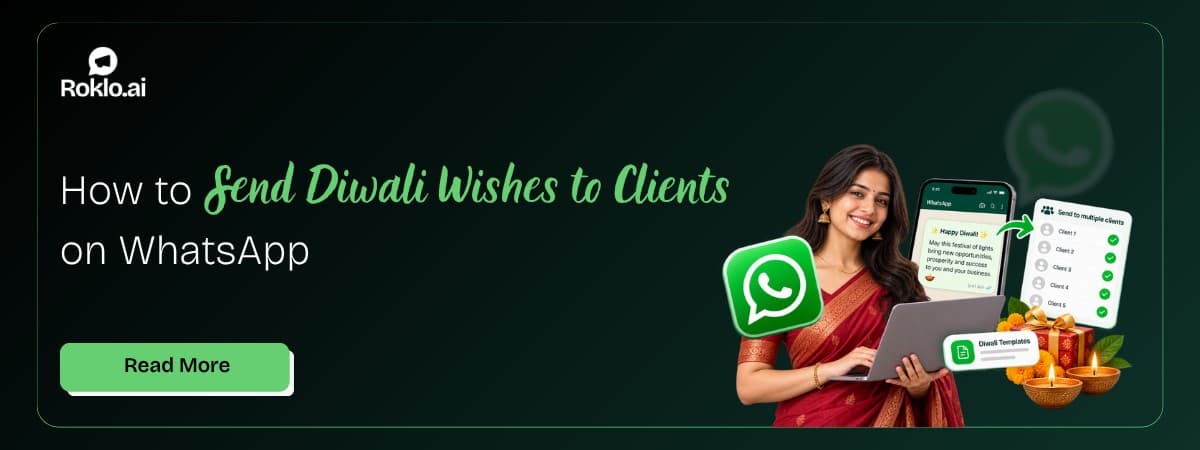
Oct 15, 2026How to Send Diwali Wishes to All Your Clients on WhatsApp (Without Copying One by One)

Discover how restaurants use WhatsApp Business for broadcast promotions, customer engagement, daily specials, and direct sales, without third-party commissions.
Kartik Patel
Head of Delivery
Contents
Contact us
Overview: Restaurants across India are replacing phone calls, Instagram DMs, and third-party delivery app fees with WhatsApp Business, a channel their customers already use every day. WhatsApp Business gives restaurants a dedicated business profile with a digital menu (catalog), automated order confirmations, table reservation management, broadcast campaigns for daily specials, and direct feedback collection. This guide covers every function from initial setup to advanced marketing, with ready-to-copy message templates for each scenario.
For sending broadcast campaigns to your entire customer list. daily specials, festival offers, loyalty rewards, a WhatsApp bulk message sender free tool like Roklo handles those bulk sends from your browser without API approval. This guide covers the WhatsApp Business setup and strategy that makes those campaigns work.
Scenario: A biryani restaurant in Hyderabad was handling 30-40 order enquiries daily via phone and Instagram. Staff spent 3 hours per day coordinating orders by phone, missing calls during peak hours, and losing potential orders. After setting up WhatsApp Business with a catalog menu, quick replies, and a broadcast list of 400 regulars, order management time dropped to 45 minutes per day. The daily special broadcast sent every evening at 6 PM generates 15-20 additional orders before 8 PM. Third-party commission costs dropped to zero for direct orders.
Phone orders get missed during peak hours. Third-party delivery apps charge 20 to 30 percent per order and keep the customer data. Instagram DMs have no catalog, no quick replies, and no automation. WhatsApp Business solves all three problems in one place.
Old Method | Problem | WhatsApp Business Solution |
Phone orders | Missed calls, no record of order, staff distracted | WhatsApp chat with timestamp, searchable history, no calls needed |
Third-party delivery apps | 20-30% commission per order, customer data stays with the platform | Direct WhatsApp order, 0% commission, customer data belongs to you |
Instagram DMs for orders | No template support, no quick replies, no catalog | WhatsApp catalog + quick replies + automated confirmation |
Manual table reservation by phone | Staff busy, no confirmation trail, frequent no-shows | WhatsApp booking + automated confirmation + next-day reminder |
Paper feedback forms | Low response rate, difficult to act on | WhatsApp feedback message, 60-80% response rate |
The shift is particularly significant for Indian restaurants where WhatsApp is already the primary channel customers use to contact businesses. A customer who can tap your business number and see your menu, place an order, and get a confirmation without making a single phone call is a customer who orders more frequently.
Also Read: How to Start a WhatsApp Conversation (2026): Complete Guide
Setting up WhatsApp Business takes under 30 minutes. These are the specific steps that matter most for a restaurant profile.
Profile tip: A complete business profile with accurate hours and a clear description reduces incoming questions. Customers who can see that you are open and what you serve are ready to order, customers who see an incomplete profile often send a "are you open?" message instead.
The WhatsApp Catalog feature is your digital menu card inside WhatsApp. Customers can browse dishes, see descriptions and prices, and add items to a cart without leaving the chat. The full setup for adding items, photos, and prices is covered in the WhatsApp catalog guide. For a restaurant, the specific setup steps are:
Two alternatives if you already have a menu designed:
Share as a PDF: Send your menu as a document file in the first message. This works as a quick setup when catalog entry takes too long, but it does not allow browsing or cart selection.
Share as an image: A high-resolution menu image shared as a document (not a photo, to avoid compression) gives customers a visual menu. Pair it with your WhatsApp number for ordering.
Best practice: Keep your catalog updated. Prices that change with the season, items that run out, and specials that rotate should be reflected in your catalog within 24 hours. A customer who orders based on a catalog price and sees a different total at checkout will not order again.
Also Read: How to Stop Auto Download in WhatsApp: Android and iPhone
WhatsApp orders work best when you remove as much friction as possible from the customer's side. The three components that make this work:
Quick Replies for common requests: Set up keyboard shortcuts in WhatsApp Business. For a restaurant, the most useful quick replies are: /menu (share catalog link), /hours (business hours), /delivery (delivery zones and minimum order), /thankyou (order confirmation), /pay (payment details).
How to set up Quick Replies: WhatsApp Business > Settings > Business Tools > Quick Replies > tap + to add each shortcut.
Clear ordering instructions: In your greeting message, tell customers exactly how to order: "Browse our menu: [catalog link]. To place an order, share: dish name, quantity, and delivery address. We confirm within 5 minutes."
Consistent confirmation message: Every order must get a confirmation that includes what was ordered, the estimated time, and payment details. Use a template so confirmations are consistent even during rush hours.
Order confirmation message:
Hi {{name}}, your order is confirmed!
Here is a summary: {{order_details}}.
Estimated delivery/ready time: {{time}} minutes.
Payment: {{payment_method}}.
Thank you for ordering from {{restaurant_name}}. We will update you when your order is on its way.Phone-based reservations produce two problems: staff are distracted during peak service, and no-show rates are high. WhatsApp reservations solve both.
Set up a simple reservation flow in your greeting message: "To book a table, reply with: date, time, number of guests, and name. We confirm your table within 15 minutes."
Reservation confirmation:
Hi {{name}}, your table for {{guests}} is confirmed on {{date}} at {{time}} at {{restaurant_name}}.
Please arrive on time, we hold tables for 15 minutes. We look forward to seeing you.
Same-day reservation reminder:
Hi {{name}}, a reminder about your table today at {{time}} at {{restaurant_name}}.
See you soon! Reply here if your plans change.The next-day reminder alone reduces no-show rates by eliminating the "I forgot" cancellation. Sending it at 10am on the day of the reservation gives customers time to confirm or cancel, allowing you to offer the table to the next customer.
Also Read: WhatsApp Campaign Software: How to Plan, Send and Track It (2026)
Restaurant marketing on WhatsApp is most effective when the message is relevant, time-sensitive, and arrives when the customer is thinking about food. WhatsApp marketing campaigns that actually work documents the principles behind campaigns that consistently drive results. For restaurants specifically, the campaigns that produce the highest direct responses are:
Daily specials (6 to 7 PM broadcast): The hour before dinner is the highest-intent window. A daily special message sent between 6 and 7 PM reaches customers who are deciding where to eat or what to order. This single campaign type drives more immediate orders than any weekly or monthly promotion.
Weekend or occasion offers: Weekend promotions sent Thursday evening give customers time to plan. Friday lunch promotions catch office crowds. Saturday evening promotions target families and groups.
Festival and seasonal campaigns: Diwali, Eid, Christmas, and local festivals are high-intent moments for dining out or ordering in. A themed menu or special offer sent 2 to 3 days before the festival gives customers time to plan and book.
Re-engagement campaigns: Customers who have not ordered in 30 to 60 days. A single message with a return offer (discount or complimentary item) reactivates a meaningful percentage of lapsed customers at a low cost.
Loyalty rewards: Identifying customers who order frequently and sending a personal acknowledgment with an exclusive offer builds retention. "You've ordered from us 10 times this month, here's something special for you" outperforms generic broadcast messages.
Use these templates directly or adapt them for your restaurant and cuisine. Replace all bracketed elements before sending.
Daily special:
Hi {{name}}, today's special at {{restaurant_name}}: {{dish}} at just Rs {{price}}.
Limited portions, order before 9 PM. Tap to order: {{link}} or reply here to place your order.
Weekend offer:
Hi {{name}}, our weekend special is here. 25% off on all {{cuisine_type}} dishes this Saturday and Sunday.
Dine in or order from home. Reserve your table: {{link}} or reply BOOK.Festival campaign:
Hi {{name}}, celebrate {{festival}} with a special {{dish}} at {{restaurant_name}}.
Available from {{date_start}} to {{date_end}}. Only {{quantity}} portions daily. Book early: reply ORDER or call {{number}}.New menu item:
Hi {{name}}, something new just joined our menu: {{dish_name}}. {{short_description}}.
Come try it this week, first 50 orders get {{offer}}. See it here: {{catalog_link}}.Re-engagement:
Hi {{name}}, it has been a while. We miss having you at {{restaurant_name}}.
Come back this week and enjoy 15% off your next order. Use this message as your coupon. Valid until {{date}}.Loyalty reward:
Hi {{name}}, you have been a loyal customer and we appreciate it.
Here is something special just for you: {{offer}}. No conditions, no codes needed. Just reply to this message to order.Also Read: WhatsApp Automatic Reply: How to Set It Up (2026 Guide)
WhatsApp feedback messages have response rates of 50 to 70 percent, significantly higher than email surveys or in-app feedback prompts. The key is to send the message within 30 to 60 minutes of order completion or table departure, when the experience is fresh.
Feedback message:
Hi {{name}}, how was your experience at {{restaurant_name}} today?
Reply with: 1 - Excellent, 2 - Good, 3 - Average, 4 - Below expectations.
Any comments? We read every reply.
For negative responses (3 or 4), respond personally within two hours. A quick, genuine acknowledgment from the restaurant converts a negative experience into a loyalty moment. The customer who complains and gets a direct personal response is more likely to return than one who never complains at all.
Two automated messages set the baseline for every customer interaction. WhatsApp automatic reply covers the full setup for both, but here are the restaurant-specific versions:
Greeting message (fires when someone contacts your restaurant for the first time):
Greeting message: Welcome to {{restaurant_name}}! We are happy to hear from you. Browse our menu here: {{catalog_link}}. To place an order, share: dish name, quantity, and delivery address. For table reservations, share: date, time, and number of guests. Our team will confirm within 10 minutes during operating hours ({{hours}}).
Away message (fires outside business hours):
Away message: Thank you for contacting {{restaurant_name}}. We are currently closed. Our hours are {{operating_hours}}. Your message is received and we will reply as soon as we open. To see our menu in advance, tap here: {{catalog_link}}.
Also Read: WhatsApp Marketing for Ecommerce: The Complete 2026 Guide for Indian Stores
For restaurants offering direct delivery (not through third-party apps), WhatsApp is the most direct channel for order tracking updates. A three-step update sequence removes the most common source of customer anxiety: not knowing where their food is.
Order accepted:
Hi {{name}}, your order is confirmed and our kitchen has started preparing it.
Estimated ready time: {{time}} minutes. We will update you when it is out for delivery.
Out for delivery:
Hi {{name}}, your order is on its way. Delivery person: {{name}}, Contact: {{number}}. Estimated arrival: {{time}} minutes. Please keep your phone accessible.Delivered:
Hi {{name}}, your order has been delivered. We hope you enjoy your meal.
If you have any concerns, reply here and we will address them immediately. Thank you for ordering from {{restaurant_name}}.Build your WhatsApp contact list from every channel: Add your WhatsApp number to your menu, billing receipts, Instagram bio, Google Business Profile, and Zomato/Swiggy page description. Ask customers to save your number when they visit. A larger opted-in list means every broadcast reaches more paying customers.
Segment your broadcast lists: Regulars (order 3+ times per month), occasional customers (1-2 times per month), and lapsed customers (no order in 30+ days) need different messages. Regulars get early access and loyalty rewards. Occasional customers get specific offers. Lapsed customers get re-engagement messages with a stronger incentive.
Keep broadcast messages short: Restaurant customers on WhatsApp are deciding whether to order now. Three lines maximum: what you are offering, the price or offer, and one clear action. Everything else reduces conversion.
Send daily specials in the evening, not at noon: The dinner decision window (5 to 8 PM) produces higher immediate orders than the same message sent at 12 PM. Lunch promotions work better between 10 and 11 AM.
Never broadcast to unverified contacts: Only message customers who have given you their number willingly, through a booking, an order, a form, or by messaging you first. Cold broadcasts damage your account reputation and may trigger WhatsApp account restrictions.
WhatsApp Business turns your restaurant's most-used customer channel into a complete ordering and marketing system. The business profile sets your professional presence. The catalog gives customers a menu they can browse and order from without a single phone call. Broadcast messages reach your regulars with the right offer at the right moment. Automated replies ensure every enquiry gets an immediate response, even outside operating hours.
The restaurants that use WhatsApp most effectively are not those with the largest budgets. They are the ones with the cleanest contact lists, the most relevant messages, and the most consistent follow-through on every order and every piece of customer feedback.
For restaurants managing regular promotional campaigns, daily specials, weekend offers, festival promotions, to a growing customer list beyond 256 contacts, Roklo is a free bulk message sender that handles how to send bulk WhatsApp messages to your full list from a browser. No API, no commission, no per-message charge.
Also Read: How to Create Broadcast in WhatsApp: Android and iPhone
Head of Delivery
Kartik Patel is the Head of Delivery at Roklo, specializing in scaling AI solutions and leading high-performing engineering teams to deliver impactful digital transformations.