Whatsapp Guides
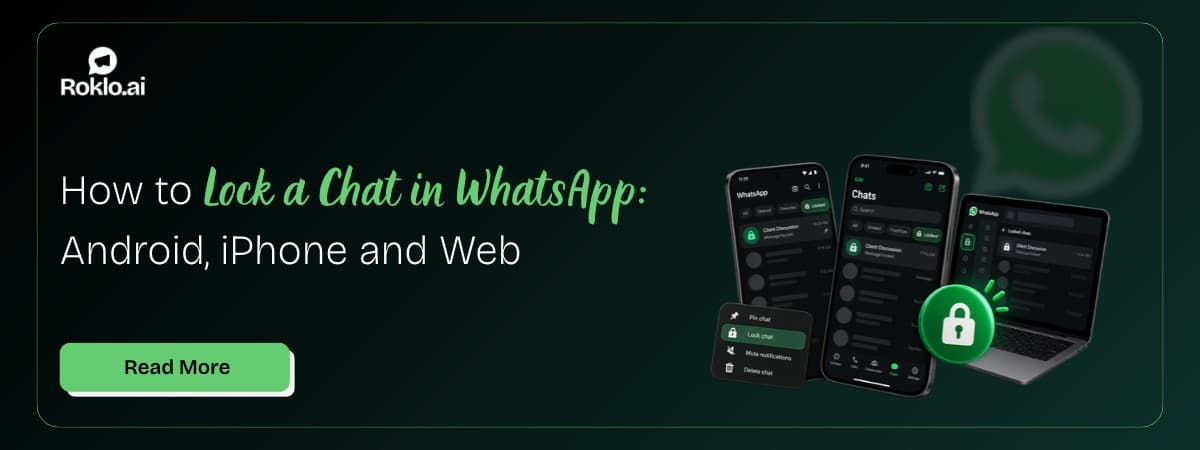
Oct 30, 2026How to Lock a Chat in WhatsApp: Android, iPhone and Web

Learn why WhatsApp Business accounts get banned and how to avoid it. Covers 8 ban triggers, quality rating warnings, appeal steps, and safe messaging practices.

Kartik Patel
Head of Delivery
Contents
Contact us
Overview: A WhatsApp Business account ban can happen overnight, with no warning, no explanation, and no way to reach your existing customer conversations. WhatsApp bans accounts for specific, identifiable reasons: spam reports from recipients, unsolicited messages, sudden volume spikes, prohibited content, and modified unofficial apps. Most bans are preventable. This guide covers all 8 ban triggers, the warning signs WhatsApp sends before a ban, what restricted and temporary bans look like versus a permanent ban, and the exact appeal process to follow if your account is already banned.
For businesses sending outbound WhatsApp campaigns, a WhatsApp bulk message sender free tool handles those sends, the risk of a ban comes from list quality, send volume, and message relevance, not from the tool itself. This guide covers all the factors WhatsApp monitors.
WhatsApp enforcement happens in three levels. Knowing which level you are at changes what you should do next.
Level | What Happens | How It Appears | What To Do |
Restricted | Messaging is limited, you can receive but cannot initiate new conversations above your tier limit | Warning in Account Quality dashboard. No direct notification to user. | Improve quality rating and reduce send volume. No action required unless it escalates. |
Temporarily banned | Cannot send or receive any messages for a set period (24 hours to 7 days) | Error message: "This account is not allowed to use WhatsApp" with a timer showing when access returns. | Wait for the ban to expire. Address the root cause before resuming. |
Permanently banned | Account disabled. Number cannot be used on WhatsApp. | Error message: "This account can no longer use WhatsApp" or "Your account is not allowed to use WhatsApp" with no timer. | Submit a review request immediately. If denied, the ban is final. |
Key distinction: A timer on the ban message means a temporary restriction. No timer means either a permanent ban or a restriction that requires an appeal. The error text "This account can no longer use WhatsApp" almost always indicates a permanent ban. "This account is not allowed to use WhatsApp" may be temporary or permanent, check for a countdown.
Every WhatsApp user has a Report option when they long-press any message. When a contact reports your business, WhatsApp receives that signal and logs it against your account. A single report does not trigger a ban. A pattern of reports does.
WhatsApp does not publish a threshold, but the pattern is consistent: accounts that generate a high rate of spam reports relative to their message volume move into a restricted state, then toward a temporary ban, then toward a permanent ban. The faster reports accumulate, the faster the escalation.
Reports spike when you message people who do not recognize your number, when messages feel irrelevant, or when recipients have no way to opt out.
WhatsApp's Business Messaging Policy requires that contacts have given you their phone number AND explicitly agreed to receive messages from your business. Sending to purchased lists, scraped numbers, event attendees who never agreed to WhatsApp contact, or any contact who did not specifically opt in is a direct policy violation.
The reason this matters mechanically: contacts who did not opt in are far more likely to report your message as spam, because they do not recognize you. The opt-in requirement exists precisely to prevent spam reports.
WhatsApp monitors the rate of change in your messaging activity, not just the absolute number. An account that sends 10 messages per day for a month and then suddenly sends 1,000 in an hour looks automated or compromised.
New phone numbers are particularly vulnerable. A number with no messaging history that immediately sends high volumes is flagged almost immediately. WhatsApp expects messaging volume to grow gradually as the account builds a reputation.
Sending the same message text to a large list, especially to contacts who have not saved your number, is one of the clearest signals of unsolicited bulk messaging. WhatsApp's detection looks at both the content similarity and the recipient relationship (whether contacts have your number saved and whether they respond).
Personalizing messages, at minimum including the recipient's name, and ensuring your contact list is warm (people who recognize your number) significantly reduces this flag.
GB WhatsApp, WhatsApp Plus, and similar modified APK files are unofficial versions of WhatsApp built by third parties. They claim to offer extra features: multiple accounts, auto-reply, bulk sending. WhatsApp actively detects these apps and bans numbers using them.
Also Read: How to Enable Voice Typing in WhatsApp: Android and iPhone
Clarification on tool types: Modified WhatsApp apps (GB WhatsApp, WhatsApp Plus) replace the official WhatsApp app with an unauthorized version, these are banned by WhatsApp. Browser-based campaign tools that work through your WhatsApp Web session are a separate category and are not modified apps. The ban risk from any campaign tool comes from the behavioral signals it generates (spam reports, volume spikes), not from the existence of the tool.
WhatsApp's Commerce Policy lists specific categories of content and products that cannot be promoted, sold, or facilitated through WhatsApp. Even if a contact is willing to receive your message, sending prohibited content violates policy. This is covered in detail in the Prohibited Content table below.
Using a false business name, impersonating another company, or providing inaccurate information in your WhatsApp Business profile violates the terms. WhatsApp requires that business accounts accurately represent the business they belong to. A fitness trainer claiming to be a hospital to gain trust, for example, violates this rule.
WhatsApp issues quality alerts and account quality warnings before escalating to bans. Businesses that continue the same messaging behavior after receiving these warnings, reduced send limits, a quality rating drop to Yellow or Red, accumulate enforcement actions faster. The escalation from restriction to temporary ban to permanent ban is driven partly by whether the account responds to warnings.
WhatsApp assigns a Quality Rating to business accounts based on recent user feedback, block rates, and report rates. This is the clearest advance warning system available. Monitoring it regularly is the fastest way to catch problems before they become bans.
Green quality rating: Your recent messages are receiving positive signals. Continue your current practices.
Yellow quality rating: Warning state. Too many contacts are blocking or reporting your messages. Reduce send frequency immediately, review your contact list for non-opted-in contacts, and improve message relevance. If this is not addressed, it moves to Red.
Red quality rating: High-risk state. Your account is close to a messaging restriction. Stop new outreach campaigns immediately. Clean your contact list. Only respond to inbound messages until the rating improves.
How to check your quality rating: In the WhatsApp Business app: tap the three-dot menu > Settings > Business Tools > Account Quality. For WhatsApp Business API users, this is visible in the WhatsApp Manager dashboard.
If your quality rating drops to Red and you continue sending at the same volume, a temporary ban typically follows within 24 to 72 hours. The rating is the earliest signal in the enforcement chain, act on Yellow before it becomes Red.
Also Read: How to Restore WhatsApp Backup from Google Drive (2026)
WhatsApp's Commerce Policy prohibits specific content categories regardless of the recipient's consent. Sending prohibited content violates policy even if every contact on your list explicitly opted in.
Prohibited Category | Specific Examples and Notes |
Illegal substances | Drugs, controlled substances sold without a valid prescription, or any substance that is illegal in the recipient's jurisdiction. |
Weapons and explosives | Firearms, ammunition, explosives, or accessories that modify a legal weapon to fire automatically. |
Gambling | Real money gambling, online casinos, sports betting, except where WhatsApp has approved the use case for a specific regulated market. |
Adult content | Pornography, explicit sexual content, or solicitation of sexual services. |
Endangered wildlife | Wild animals, animal parts, or products derived from protected species. |
Alcohol and tobacco (catalog restriction) | Selling via WhatsApp catalog or payment features. Chat-based communication may be permitted in some regions; catalog and payment features are not. |
Prescription medications (catalog restriction) | Same as above. Pharmacies can communicate; they cannot use catalog features for prescription drug sales. |
Financial fraud and scams | Pyramid schemes, fake investment returns, phishing links, or any scheme that deceives users about financial gain. |
Malware and harmful links | Links or files containing malware, ransomware, spyware, or anything designed to damage the recipient's device or steal information. |
Hate speech and harassment | Content that discriminates based on race, religion, gender, or sexual orientation, or content designed to harass or threaten specific individuals. |
If your business operates in a regulated industry (alcohol, tobacco, prescription medication), you may still use WhatsApp for customer communication, but you cannot use catalog or payment features for those transactions. Informational communication is generally permitted; transactional features for restricted goods are not.
The behaviors that avoid bans are the same behaviors that produce good messaging results. How to send bulk WhatsApp messages without getting banned covers the full set of safe sending practices in detail. The core principles:
Only message opted-in contacts: Collect WhatsApp opt-ins through website forms, in-store QR codes, and direct consent at point of sale. Document consent so you can demonstrate it if needed.
Personalize every message: At minimum, use the contact's name. Where contact data allows, reference their purchase history, appointment date, or specific interest. Personalized messages generate fewer spam reports than generic blasts.
Include an opt-out in every broadcast message: "Reply STOP to unsubscribe" gives contacts a safe exit. A contact who opts out is one fewer potential spam report against your account.
Control send frequency: Two to three campaign sends per week is the ceiling for most business types. Even engaged contacts start blocking or reporting if the message frequency is too high.
Monitor quality rating weekly: Check your quality rating every week, not just when you suspect a problem. Early Yellow signals are much easier to correct than a Red rating approaching a ban.
Keep your contact list clean: Remove contacts who have not engaged with any message in 90 days, contacts who asked to stop receiving messages, and any contact whose number was collected without explicit WhatsApp consent.
Also Read: WhatsApp Interactive Messages: Buttons, Lists and CTA Guide
A new phone number has no messaging history on WhatsApp. Sending high volumes immediately is one of the most reliable ways to trigger a ban. Warm-up gradually builds a safe sending history.
| Days | Recommended Message Volume and Actions |
Days 1-7 | Send 50 to 100 messages per day maximum. Only message your most engaged contacts, people who know you and are likely to reply. |
Days 8-14 | Increase to 200 to 300 messages per day. Check quality rating after each send day. |
Days 15-21 | Increase to 400 to 500 messages per day if quality rating remains Green. |
Days 22-30 | Scale to your target volume. If quality is Green, the account history is established. |
Ongoing | Increase by no more than 25-30% per week. Sudden spikes from established volume still trigger flags. |
An account that has sent 300 messages per day for 30 days and then sends 1,000 is less likely to be flagged than a brand new account sending 1,000 on day one. The warm-up is about building trust with WhatsApp's detection systems, not just with your contacts.
If your account is already banned, how to unban a WhatsApp number covers the full step-by-step process including support contact methods. Here is the core sequence:
Step 1 - Identify the ban type: Open WhatsApp. If you see a timer, it is a temporary ban, wait it out and address the root cause. If there is no timer, it is permanent or requires an appeal.
Step 2 - Tap Request a Review: The ban message screen includes a "Request a Review" or "Submit a request" option. Tap it. This opens an in-app appeal form.
Step 3 - Write a clear appeal: Briefly explain your situation. If the ban was a mistake, say so and describe your messaging practices. If you violated a policy and have since corrected the behavior, acknowledge what happened and describe the corrective actions you have taken. Keep it factual. WhatsApp does not respond to emotional appeals.
Step 4 - Wait for the review outcome: WhatsApp reviews appeals within 24 to 72 hours in most cases. Do not submit multiple appeals, it does not speed up the review and may be flagged as additional negative activity.
Step 5 - If reinstated: Treat it as a final warning. Implement every preventive measure in this guide immediately. A second ban after reinstatement almost always results in a permanent ban with no further appeal.
Step 6 - If the appeal is denied: The number is permanently disabled for WhatsApp. Contact WhatsApp Business support at business.whatsapp.com/support with any additional evidence. If that does not produce a result, the only option is a new phone number.
Prevention is non-negotiable after reinstatement: Businesses reinstated after a ban and then banned again face near-zero chance of a second successful appeal. WhatsApp's systems flag accounts with prior ban history for faster escalation on any subsequent violations.
WhatsApp Business account bans follow a clear logic: the account triggered spam detection through one or more identifiable behaviors, high report rates, unsolicited messaging, volume spikes, prohibited content, or unauthorized apps. None of these triggers is random. All of them are preventable with the right practices in place before problems start.
Build your contact list from opt-ins only. Warm up new numbers gradually. Monitor your quality rating weekly. Personalize messages. Include an opt-out. Keep frequency reasonable. These six practices prevent the overwhelming majority of WhatsApp Business account bans.
For businesses managing outbound WhatsApp campaigns, Roklo is a free bulk message sender that handles how to send bulk WhatsApp messages from a browser, no API required. The safe sending rules in this guide apply regardless of which sending method you use: opted-in contacts, controlled volume, and relevant messages are what keep accounts healthy.
Also Read: WhatsApp Marketing Strategies: 10 Proven Tactics for 2026
Roklo handles bulk outbound WhatsApp campaign sends from a browser, no WhatsApp Business API required, no saved-contact requirement, no per-message charge. The same safe sending rules apply: opted-in contacts, controlled volume, relevant messages.
Head of Delivery
Kartik Patel is the Head of Delivery at Roklo, specializing in scaling AI solutions and leading high-performing engineering teams to deliver impactful digital transformations.